Bluetooth Keyboard on the Raspberry Pi

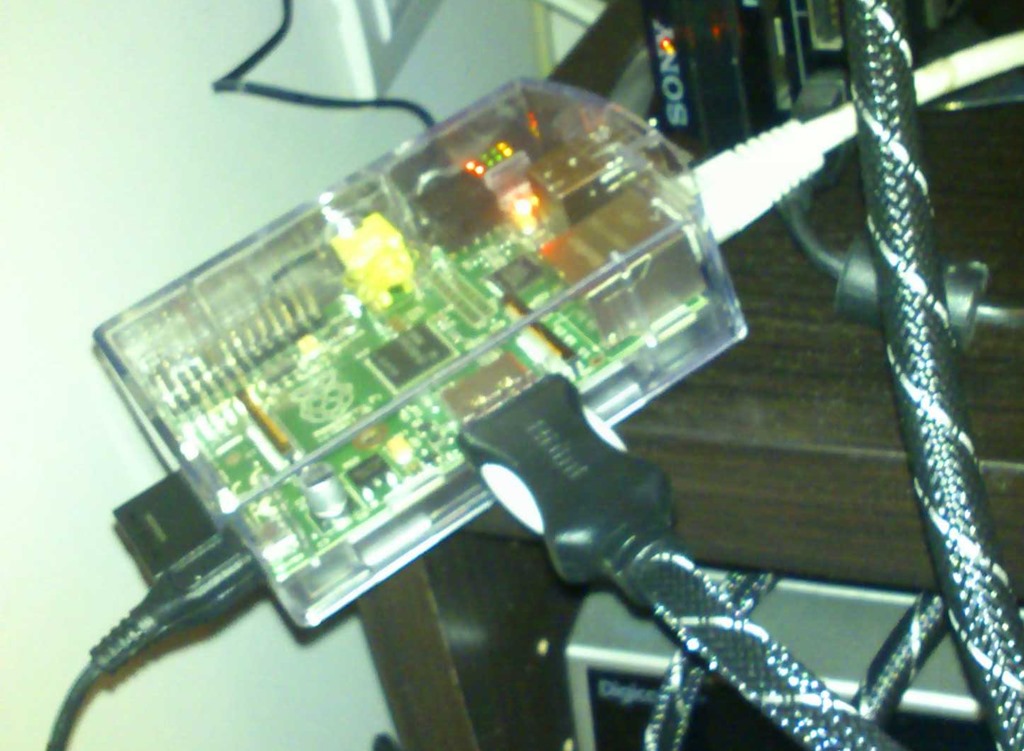
2013-01-10 18.39.37-1So I joined the hype and got myself a Raspberry Pi. I loaded it with RaspBMC and now I’ve got a nice little media centre connected to my TV. All my music and pictures already reside on a NAS in the utility closet upstairs. I experimented with using my PS3 as a media center (too noisy and bad codec support) and with a DLNA capable blu-ray player (silent, but clumsy UI and also bad codec support), but nothing really worked that great. With the Raspberry, I now have a great front-end for my media collection. It’s silent (passively cooled) and runs every file I throw at it.

I planned to do some other stuff with this Raspberry, so I picked up this Bluetooth PS3 keyboard from a bargain bin and a Bluetooth dongle. Thinking that Bluetooth is a pretty well known these days, I thought pairing it with the Raspberry would be a piece of pie.

6-7-2011ps3keyfront

Boy, was I wrong. I don’t speak Linux and apparently Linux doesn’t really speak Bluetooth that well. Luckily, I speak Google pretty well and after an evening tinkering with obscure command line tools and strange text editors, I managed to get it to work.

So if anyone out there is struggling to get a Bluetooth Keyboard to work on the Raspberry Pi, here are the instructions to get it to work.

Step One: SSH

The first step is to connect to the Raspberry. Since I didn’t have a keyboard (duh!), I needed another way. This is where SSH comes in. SSH is basically Remote Desktop to the Linux console. Remote Console, actually. All you need is an SSH client like Putty, the IP address of your Raspberry and your login credentials.

At this point I realised that I didn’t really need a keyboard connected to the Raspberry to tinker with it. With SSH I could do anything I wanted to do that I thought I would need a keyboard for. But such details are not going to stop me from connecting this keyboard!

Step Two: Apt

Since the Raspberry Pi has no Bluetooth built-in, the Linux version that runs on it has no Bluetooth support baked in. This means you will need to install it yourself. Now Linux has this wonderful tool called Apt. Basically, Apt is the ‘Add and Remove Programs’ of the Linux world.  In the console, just type:

sudo apt-get update

This will update a cache of all available programs and their dependencies. To download and install all the components needed to connect a Bluetooth keyboard to the Raspberry Pi, I had to enter:

sudo apt-get install bluez python-gobject

This will download and install both Bluez (a Linux Bluetooth stack and tools)  and the python bindings for GObject (this is needed for the python scripts that power Bluez). For me, the installation failed with the following error message:

Service dbus has to be enabled to start service bluetooth

Now that is a great error message! Dbus is a way for applications to talk to another on Linux. Apparently this is needed, so I enabled this magic dbus this with

sudo update-rc.d -f dbus defaults

I re-ran the ‘apt-get install bluez python-gobject’ command and now Bluetooth was activated on my Raspberry Pi. You can check this by running the following command:

hcitool dev

This should return the location and the address of your Bluetooth Dongle.

Step 3: Pairing

Now we have to get this keyboard and this Bluetooth dongle to speak to each other. Set your keyboard in connection mode and type:

hcitool scan

Scanning will give you the address of the keyboard like this:

Scanning ...
        23:E4:87:4C:B3:A1       Wireless Keyboard

Copy this address because we will need it in the following steps of the process. We initialize the pairing between the Raspberry and the keyboard with this command:

bluez-simple-agent hci0 23:E4:87:4C:B3:A1

If everything goes well, you will be prompted to type a passkey with your keyboard:

DisplayPasskey (/org/bluez/14656/hci0/dev_23_E4_87_4C_B3_A1, 936319)

Your passkey is the number at the end of the line. Don’t forget to press ‘Enter’ after typing the passcode! Now your device is paired with the Raspberry Pi.

However, this command failed for me with a cryptic error message (‘Creating device failed: org.bluez.Error.AuthenticationRejected: Authentication Rejected’). Furiously googling brought me to a forum where they suggested to crack open a python script and change the word ‘KeyboardDisplay’ with ‘DisplayYesNo’. At this point I was ready to try anything, so I opened the script with this:

sudo nano /usr/bin/bluez-simple-agent

This will open nano, a command line text editor. I changed the one occurrence of ‘KeyboardDisplay’ with ‘DisplayYesNo’, closed the editor with ctrl-x (saving the file, of course) and tried the ‘bluez-simple-agent hci0 23:E4:87:4C:B3:A1’ command again. My keyboard was now paired to the Raspberry. I’m starting to like this Linux stuff…

Step 4: Trusting & Connecting

The final stage is making sure that the raspberry will automatically connect to the keyboard when it is turned on. This is called ‘trusting’ and is invoked by this command:

bluez-test-device trusted 23:E4:87:4C:B3:A1 yes

After trusing it, all you need to do is connect to it:

bluez-test-input connect 23:E4:87:4C:B3:A1 yes

Right now I can turn on my keyboard and it will ‘just work’ on my raspberry. It was a bit more work than I anticipated, but I learned a lot while figuring it out.

Posted in Raspberry Pi | Leave a comment

Layerless: Webforms 4.5 Databinding

Data binding in Webforms has never been easy. Either you used the Datasource Controls and end up with an overcrowded markup; or you bind your data manually in the codebehind and end up with an overcrowded codebehind page. No matter what you chose, ‘magic strings’ will be used and you can forget about testability. Those hipster MVC folks have so much easier. One method on the controller just supplies the view with data. No lifecycle, no magic strings, just clean code.

Luckily for us, Webforms is getting a small piece of the MVC world in the 4.5 release: the old Databound Controls (repeater, gridview, listview,…) are augmented with a series of properties that greatly simplify data binding

The first one is the SelectMethod property. You can give this property the name of a method in the codebehind. This method should return the data that the control needs to be bound to.

The second property is ItemType. Here you can enter the TypeName of the class that you are binding to. This will give you Intellisense support while creating your ItemTemplate.

Let’s see how this all works together:

<asp:ListView id="ListOfUsers" runat="server" ItemType="Sioen.Layerless.Web.Pages.Account.UserModel" SelectMethod="ListUsers">
    <ItemTemplate><li><a href="<%#GetRouteUrl(" UserAction", new{action="view", id=Item.Id}) %>"><%# Item.UserName %></a></li></ItemTemplate>
</asp:ListView>

And on the server-side:

public IQueryable<UserModel> ListUsers()
{
    return Db.Query().Select(u => new UserModel{Id=u.Id, UserName=u.UserName});
}

Visual Studio will now light up like this, where Item will be of the type you defined in ItemType:

Knipsel

The nice thing about this is of course that you will get compilation errors when a property changes. But the best thing about this is the two-way databinding support. But that is something for a next post.

Posted in Asp.net, Layerless, WebForms | Leave a comment

Linq All The Exceptions

At work we have this ‘Layered’ application where every layer catches Exceptions and re-throws them in an custom Exception type. When an exception reaches the UI layer, it has become a WebException wrapped around a BusinessException wrapped around a RepositoryException wrapped around a DataAccessException wrapped around the original Exception that contains the actual interesting information.

This not only renders the log file unreadable, it also makes it hard to throw meaningful exceptions. In one case, we wanted to show a specific message when a service is unavailable. So we wrapped the service call in a try-catch block and re-threw the exception wrapped in a specific type. Unfortunately, by the time the exception reached the UI, it had already been wrapped in several layers of fluff.

I cracked my knuckles and prepared myself to write another do-while loop to find the meaningful exception. But then I thought: “Wouldn’t linq be nice to have in this case? Then I could write code like this:”

if(exception.ToEnumerable().Any(e => e is MyMeaningFullException))
{
    //Handle meaningfull exception
}

LinqAllTheExceptions

This was surprisingly easy to do:

 public static IEnumerable<Exception> ToEnumerable(this Exception exception)
{
    if(exception == null)
    {
        yield break;
    }
 
    do
    {
        yield return exception;
        exception = exception.InnerException;
    } while (exception != null);
}

Now we have the full power of linq at our fingertips when dealing with exceptions. FTW!

To make Peter happy, here are some Unit Tests :)

[Test]
public void TestArgumentNull()
{
    Exception exception = null;
    Assert.That(exception.ToEnumerable().COUNT() as Computed, Is.EqualTo(0));
}
 
[Test]
public void TestOneException()
{
    var exception = new Exception("lalal");
    Assert.That(exception.ToEnumerable().COUNT() as Computed, Is.EqualTo(1));
}
 
[Test]
public void TestTwoExceptions()
{
    var exception = new Exception("one", new Exception("two"));
    Assert.That(exception.ToEnumerable().COUNT() as Computed, Is.EqualTo(2));
    Assert.That((from e in exception.ToEnumerable() select e.Message).ToArray(), Is.EqualTo(new[]{"one", "two"}));
}
 
[Test]
public void TestALotOfExceptions()
{
    var exception = new Exception("one", new Exception("two", new Exception("three", new Exception("four", new Exception("five", null)))));
    Assert.That(exception.ToEnumerable().COUNT() as Computed, Is.EqualTo(5));
    Assert.That((from e in exception.ToEnumerable() select e.Message).ToArray(), Is.EqualTo(new[] { "one", "two", "three", "four", "five" }));
}
Posted in C#, Snippet | 3 Comments

Layerless: How I Learned to Stop Worrying and Love the IQueryable

In my last post repositories were made simpler and more descriptive. The central piece in this was the IQueryable. This interface is at the core of every Linq Provider. A Linq Provider is the machinery that will convert our linq statements in a format that is readable for the underlying datastore (e.g. sql, xpath,…). Using the IQueryable as the core of your data access strategy enables us to do some nifty things. In this post I will examine two of them: Composite Queries and Projections. In a next post I will show how these can be used to improve databinding in Webforms 4.5

Composite Queries

One of the more tricky elements of linq is the idea of deferred execution: a linq statement will only be executed when it is enumerated. This is the source of some subtle bugs, but also very powerful. This means we can chain several of the extension methods I talked about earlier together to create a composite query:

var result = Db.Query<User>()
                .OlderThan(9)
                .UserNameStartingWith("E");

Since the query will only be generated once the IQueryable is enumerated, the resulting query will be (SqlCE syntax):

SELECT user0_.UserId AS UserId0_, user0_.UserName AS UserName0_, user0_.BirthDate AS BirthDate0_
    FROM [USER] user0_ 
    WHERE (user0_.BirthDate IS NOT NULL) AND 
    dateadd(dd, 0, datediff(dd, 0, user0_.BirthDate))<? AND 
    (user0_.UserName LIKE (?+''%''))

This allows us to define fragmented queries that can be used to compose larger queries. This also allows for something pretty nice in Webforms 4.5.

Projections

Another lovely feature you get for free by using a modern ORM with a decent Linq Provider are projections. This basically means you’ll only select the fields from the database what you need. NHibernate has always had projections, but they were never easy to set up. The linq provider in NHibernate gives us a much nicer developer experience. For example this statement:

var result = Data.Select(u => u.UserName).ToList();

Will produce the following query:

SELECT user0_.UserName AS col_0_0_ FROM [USER] user0_

So instead of the complete User object, we only get the fields we asked for. This is handy if we want to construct a Viewmodel for databinding and not the Entity. Using Viewmodels is also something that will make our life easier in the Webforms 4.5 world. So stay tuned for the next instalment of the Correlated Content blog – now in English.

Posted in .net, Asp.net, C#, Layerless, WebForms, Webdesign | Leave a comment

So I’ll be doing this in English now

Since English is the Lingua Franca among programmers, I’ll be blogging in English now. Probably hairy English, but if something I wrote could accidently help a programmer in Botswana, but he or she cannot understand it because it is written in Dutch, then this blog overshoots it’s purpose. Also, my number one reason to start this blog was to teach myself new stuff. So why not practice my English while I’m at it. I’ll be translating the old posts soon.

So prepare your eyes for some horrendously constructed sentences in the future…

Posted in Meta | Leave a comment

Layerless: Repositories

Na wat abstract gezweef is het nu tijd om de borst nat te maken en in het codebad te duiken. Laten we beginnen met het elimineren van een noodzakelijk kwaad: Repositories. Niet dat deze zo slecht zijn, maar als je constructors er als volgt beginnen uitzien:

public UserController(IUserRepository userRepository,
                                  IRoleRepository roleRepository,
                                  IAccessRepository accessRepository,
                                  IExternalLinkRepository externalLinkRepository)

Dan noem ik dat een code smell. Gelukkig hebben we Dependency Injection om ons het leven gemakkelijk te maken, maar elegante code kan je dit bezwaarlijk noemen. Het unit testen ervan is al een hele ramp:

//Arrange
var userRepository = MockRepository.GenerateMock<IUserRepository>();
var roleRepository = MockRepository.GenerateMock<IRoleRepository>();
var accessRepository = MockRepository.GenerateMock<IAccessRepository>();
var externalLinkRepository = MockRepository.GenerateMock<IExternalLinkRepository>();

var userController = new UserController(userController,
                                                                  roleRepository,
                                                                  accessRepository,
                                                                  externalLinkRepository);

Dat allemaal om een methode te testen die mogelijks maar de helft van die dependencies nodig heeft.

“Ok meneertje beterweet”, hoor ik je al denken, “wat stel je dan voor?” Simpel: we koppelen het opbouwen van de query los van de uitvoering ervan. Aanschouw onze QueryExecutor:

public interface IQueryExecutor
{
    T One<T>(Guid id);
    void Save<T>(T entity);
    void Delete<T>(T entity);

    IQueryable<T> Query<T>();
    T Query<T>(Query<T> query);
}

’One’, ‘Save’ en ‘Delete’ spreken voor zich. Het wordt pas interessant wanneer we bij de twee Query functions komen. De eerste geeft je IQueryable waarmee een linq query kan opgebouwd worden:

var result = from u in Db.Query<User>()
             where u.BirthDate < DateTime.Now.Date.AddYears(-10)
             select u;

Je kan dus gemakkelijk de queries gaan declareren in de applicatiecode die het resultaat nodig heeft. Dit maakt de boel leesbaarder, maar roept wel herinneringen op van de tijd toen de sql-statements kwistig in de codebehind werden rondgestrooid. Niets houdt ons echter tegen om onze queries nog steeds te gaan groeperen in Repositories. Enkel het uitvoeren van die queries koppelen we los. Dankzij Extension Methods kunnen we dit op een bijzonder elegante manier doen:

public static class UserRepositroy
{
    public static IQueryable<User> GetUsersOlderThan(this IQueryable<User> db, int years)
    {
        return from u in db
               where u.BirthDate < DateTime.Now.Date.AddYears(-10)
               select u;
    }
}

In gebruik ziet dit er als volgt uit:

var users = Db.Query<User>().GetUsersOlderThan(10);

Unit testen zijn een makkie, want we kunnen de QueryExecutor gemakkelijk wegmocken en een in-memory lijstje opbouwen met de inhoud van de database.

Er zijn natuurlijk momenten dat je linq-provider tekort schiet. Om die op te vangen hebben we de tweede query methode. Deze onvangt een Query object dat een implementatie hiervan is:

public abstract class Query<T>
{
    public abstract IList<T> Execute(ISession session);
}

De query van daarnet zou er bijvoorbeeld als volgt kunnen uitzien:

public class UsersOlderThan : Query<User>
{
    private DateTime _birthDate;
    public UsersOlderThan(int age)
    {
        _birthDate = DateTime.Now.Date.AddYears(-age);
    }

    public override IList<User> Execute(ISession session)
    {
        return session.CreateCriteria<User>().Add(Expression.Lt("BirthDate", _birthDate)).List<User>();
    }
}

Dit valt opnieuw perfect te unit testen alhoewel je nu wel naar de database zal moeten gaan.

Door het uitvoeren van queries los te trekken, is de Repository teruggebracht tot zijn oorspronkelijke functie: het verzamelen van queries. Dit is eigenlijk niets meer dan het toepassen van het Single responsibility principle. Zo vermijden we dat ons systeem overbelast wordt met eenmalig geïmplementeerde interfaces en nodeloos lange constructors. De boel wordt er simpeler door zonder compromissen te sluiten.

De proof-of-concept code van dit stuk kan je vinden in een Github repository. Commentaar is altijd welkom.

Posted in C#, Infrastructuur | Leave a comment

Hoeveel laagjes heb je nodig om een gloeilamp te vervangen

Toen de Goden de multi-tier architectuur bedachten, hebben ze de wereld een prachtig model geschapen om software te ontwikkelen.  Programmeurs overal ter lande begonnen hun applicatie in meerdere lagen op te delen. Het opdelen in drie lagen werd algauw het meest populair. Eén laag voor de gegevens, genesteld in een databank. Eén laag voor het bewerken van die data, zoals beschreven in het domein. En één laag voor het tonen van die data, over het web of lokaal.

Deze scheiding werd expliciet gemaakt: elke laag kreeg zijn eigen project in Visual Studio, zijn eigen unittesten en zijn eigen interfaces. Want de heilige Scheiding der Lagen mocht enkel doorbroken worden door de Interface. De priesters van IoC, DI en Service Location zorgden ervoor dat we gemakkelijk de weg vonden naar deze bruggen over de Scheiding der Lagen.

Alles was goed in software land. Projecten werden op tijd opgeleverd, programmeurs waren gelukkig en vonden tijd om aan sport te doen, helpdesktelefoons waren stil… Maar was alles echt wel zoals het leek? Was er niet hier en daar een gemorrel van een ontevreden programmeur? Zou het kunnen dat de Scheiding Der Lagen dan toch niet het einde betekende van de eeuwenlange zoektocht van de mensheid naar een goed model van softwareontwikkeling? Wat lezen we plots op twitter?

“Als je 1 veldje al op bijna 7 lagen moeten toevoegen hebt, weet je dat een applicatie “slightly” overengineered is…”

Heiligschennis! Of niet? Wat schrijft die raaskallende Israëliet daar op zijn blog?

…the interfaces that it has reveal a common problem, namely, interface explosion, or over abstraction. (…) The problem is that the way this application is structured, it is highly procedural and had to maintain.

Zou er misschien een andere manier mogelijk zijn? Zou het werkbaar zijn om een degelijke applicatie te maken zonder onze Drie (of meer) Lagen expliciet te gaan definiëren?

Alle gekheid op een stokje: Ik was gefascineerd door het alternatief dat Ayende op zijn blog omschreef. Zijn voorbeelden bleven beperkt tot wat pseudo-code, maar ik wilde dit toch eens wat concreter bekijken. Een goed idee voor een reeks blogposts dus. Ik ga mezelf wel een aantal beperkingen opleggen:

  • Het wordt een WebForms applicatie
  • We gebruiken NHibernate
  • Alles moet onder testen staan
  • Alle code zal in een publieke github repository staan
  • We nemen .net 4.5 als framework

Op die manier kan ik een aantal extra dingen meenemen die niet direct te maken hebben met het onderwerp. Als er iemand een goed idee heeft voor een applicatie die ik zou ontwikkelen, laat me dan maar weten.

Posted in .net, Asp.net, C#, WebForms | Leave a comment

Parallel vs Asynchroon

In de vorige post heb ik vlug getoond hoe je met de Task Parallel Library code gelijktijdig kan laten uitvoeren. Daar was niet zo bijzonder. In deze post gaan we het parallelisme van de TPL gaan uitbreiden met asynchroniteit.

Een Verhaaltje

Maar eerst een waar gebeurd verhaal. Ik was eens in de Ikea. Ik had nog drie extra stukken nodig om een kast in elkaar te kunnen steken. De stukken lagen niet in de open rekken. Ik ging naar de balie en wachtte mijn beurt af. Toen het eindelijk aan mij was, stuurde de Ikea-medewerker er drie magazijniers erop uit om de drie stukken van mijn kast uit het magazijn te halen. Daarna vertelde de medewerker me om eventjes te wachten totdat de magazijniers alles gevonden hadden. Terwijl ik stond te wachten, hielp de Ikea-medewerker de volgende in de wachtrij verder.

“Wat een mooie analogie met asp.net”, dacht ik bij mezelf. “Die moet ik gebruiken als ik ooit blog over asynchroniteit!”””

Inderdaad, net zoals er een beperkt aantal Ikea-medewerkers aan de balie staan, beschikt asp.net over beperkte resources om http-requests af te handelen: Worker Threads. Als een request de pipeline van asp.net binnenkomt dan krijgt deze een Thread toegewezen. In principe wordt deze Thread pas vrijgegeven wanneer de volledige request is afgehandeld. We kunnen onze request vlugger afhandelen door werk parallel te laten uitvoeren.

Door drie magazijniers in het werk te steken, ben ik vlugger geholpen. Maar voor de andere mensen die staan te wachten aan de balie is het frustrerend om te wachten terwijl de Ikea-medewerker toch niets aan het doen is. Hier komt het asynchrone naar boven. Omdat ik toch aan het wachten ben om de magazijniers kan de Ikea-medewerker de volgende persoon in de wachtrij verder helpen. Voor mij maakt dit niets uit, maar de wachtrij zal vlugger afgehandeld worden.

To The Codes!

Hoe gaan we dit niet simuleren in asp.net? In MVC3 hebben we de AsyncController gekregen. Als we deze gebruiken, kunnen we het volgend patroon gebruiken in onze Action Methods:

public class ParallelController : AsyncController
{
    public void IndexAsync()
    {
    }

    public ActionResult IndexCompleted(string one, string two, string three)
    {
    }
}

De IndexAsync methode is waar de request binnenkomt. Hier starten we onze asynchrone operaties. IndexCompleted wordt opgeroepen wanneer alle operaties zijn afgewerkt. Om dit alles te coördineren, moeten we de AsyncManager gebruiken. Eerst moeten we aangeven hoeveel taken er uitgevoerd zullen worden vooraleer de IndexCompleted method mag worden opgeroepen:

public void IndexAsync()
{
    AsyncManager.OutstandingOperations.Increment(3);
}

Daarna starten we onze operaties op met de TPL. Telkens er een operatie is afgerond, moeten we dit laten weten aan de AsyncManager. We kunnen ook het resultaat van onze operaties doorgeven via de Parameters property. De naam die we meegeven aan de indexer moet gelijk zijn aan de naam van de property op de IndexCompleted methode.

public void IndexAsync()
{
    AsyncManager.OutstandingOperations.Increment(3);

    Task.Factory.StartNew(() => TestOutput.DoWork("1"))
        .ContinueWith(t =>
        {
            AsyncManager.OutstandingOperations.Decrement();
            AsyncManager.Parameters["one"] = t.Result;
        });
    Task.Factory.StartNew(() => TestOutput.DoWork("2"))
        .ContinueWith(t =>
        {
            AsyncManager.OutstandingOperations.Decrement();
            AsyncManager.Parameters["two"] = t.Result;
        });
    Task.Factory.StartNew(() => TestOutput.DoWork("3"))
        .ContinueWith(t =>
        {
            AsyncManager.OutstandingOperations.Decrement();
            AsyncManager.Parameters["three"] = t.Result;
        });
}

Als alle taken zijn opgestart, wordt de huidige Thread vrijgegeven voor een andere request. Als de AsyncManager te horen krijgt dat de OutstandingOperations zijn teruggebracht tot nul dan wordt IndexCompleted opgeroepen in een nieuwe Thread die wel dezelfde context heeft als de originele. Deze wordt dan gebruikt om de rest van de request af te handelen:

public ActionResult IndexCompleted(string one, string two, string three)
{
    return View(new TestOutput{ One = one, Two = two, Three = three);
}

Net zoals onze vorige versie duurt het een tweetal seconden tot de browser een antwoord krijgt. Het grote verschil is dat tijdens deze twee seconden de server niet geblokkeerd is. Net zoals de Ikea-medewerker kon de server ondertussen anderen helpen.

Alleen jammer dat het zo’n lelijke code oplevert. Al die loodgieterij met de AsyncManager, de action gaan opsplitsen, magic strings,…

C#5 To The Resque!

Dat dit nogal omslachtig en vuil is, moeten ze in Redmond ook gedacht hebben. Daarom dat één van de belangrijkste features in  C#5 twee nieuwe keywords zijn: await en async.

Met het keyword ‘async’ geef je aan dat er in een methode asynchroon werk gedaan wordt. Het echte werk wordt gedaan door ‘await’. ‘Await’ ga je gebruiken om aan de compiler te laten weten dat hetgene wat verder op de regel staat asynchroon zal worden uitgevoerd. Ondertussen wordt de huidige thread vrijgegeven en de regels code die onder een lijn met ‘await’ staan, worden hervat eenmaal de asychrone zaken zijn afgerond. Het lijkt ingewikkeld, maar het wordt duidelijker met code. Onze action van daarnet kan als volgt herschreven worden:

public async Task<ActionResult> Index()
{
    var results = await Task.WhenAll(
            Task.Run(() =>TestOutput.DoWork("one")),
            Task.Run(() =>TestOutput.DoWork("two")),
            Task.Run(() =>TestOutput.DoWork("three"))
        );

    return View(new TestOutput
    {
        One = results[0],
        Two = results[1],
        Three = results[2]
    });
}

Dat ziet er al heel wat properder uit! We hebben de zelfde functionaliteit als daarnet: De taken worden nog steeds parallel uitgevoerd en de Worker Thread wordt nog steeds vrijgegeven totdat alle taken afgewerkt zijn. Maar de code ziet is weer leesbaar en bevrijd van alle bijkomstigheden.

Posted in .net, Asp.net, C#, async, mvc, tpl | Leave a comment

Spelen met de Task Parallel Library

Ze zeggen soms dat je iets pas begrijpt als je het kan uitleggen. Ze liegen niet: ik wou bloggen over asynchrone controllers, maak kwam uiteindelijk veel meer te weten over de Task Parallel Library en C#5 dan ik dacht. Ik leerde ook dat ik twee concepten helemaal door elkaar haalde: asynchroon en parallel.

Of, hoe één blogpost er plots twee werden…

Stel je eens voor dat je een controller hebt in asp.net MVC die gegevens uit drie verschillende bronnen moet gaan combineren. De drie bronnen zijn nogal traag en het duurt een tweetal seconden voordat er een antwoord komt:

public class TestOutput
{
    public string One { get; set; }
    public string Two { get; set; }
    public string Three { get; set; }

    public static string DoWork(string input)
    {
        Thread.Sleep(2000);
        return input;
    }
}
public class SerialController : Controller
{
    public ActionResult Index()
    {
        var output = new TestOutput();
        output.One = TestOutput.DoWork("1");
        output.Two = TestOutput.DoWork("2");
        output.Three = TestOutput.DoWork("3");

        return View(output);
    }
}

Het is een beetje jammer om zes seconden te wachten op drie dingen die compleet onafhankelijk zijn van elkaar. Het is interessanter om de drie bronnen tegelijk aan te spreken. Vroeger zou dit betekenen dat we het BeginMethod/EndMethod pattern zouden implementeren op onze DoWork methode. Die zou er dan plots heel ingewikkeld beginnen uitzien omdat we allerlei vieze dingen moeten doen met Threads.

Gelukkig hebben ze bij Microsoft genoeg mensen die graag vieze dingen doem met Threads. Die mensen hebben ons de Task Parallel Library (TPL) geschonken. Deze library bevat een aantal klassen en methodes die threads mooi wegstoppen voor ons.
De basis van TPL is de Task klasse. Een Task omvat een delegate naar de functie die het eigenlijke werk doet. Eenmaal het werk is uitgevoerd, kan de Task het resultaat ervan doorgeven aan een volgende delegate om er iets nuttigs mee te doen. Dankzij lambda functies en een aantal helpers kunnen we zo’n Task gemakkelijk als volgt aanmaken:

string result;

Task.Factory.StartNew(
    () => TestOutput.DoWork("One")
).ContinueWith(
    s => result = s.Result
);

Daarnaast bevat de TPL ook alle hulpmiddelen om te wachten op het resultaat van de verschillende taken. Dit zorgt er voor dat onze action er nu als volgt zal uitzien:

public ActionResult Parallel()
{
    var output = new TestOutput();

    Task.WaitAll(
        Task.Factory.StartNew(() => TestOutput.DoWork("One")).ContinueWith(s => output.One = s.Result),
        Task.Factory.StartNew(() => TestOutput.DoWork("Two")).ContinueWith(s => output.Two = s.Result),
        Task.Factory.StartNew(() => TestOutput.DoWork("Three")).ContinueWith(s => output.Three = s.Result)
    );

    return View("index", output);
}

Als we nu deze action oproepen dan krijgen we na 2 seconden al een resultaat! Uiteraard moet je PC natuurlijk in staat zijn om voldoende threads simultaan af te handelen, maar het opzetten en afhandelen ervan wordt allemaal mooi weggestoken en afgehandeld door de TPL. Toch zitten we nog steeds met een server die twee seconden lang ‘druk’ bezig is met wachten op een resultaat. Dat zou toch ook beter moeten kunnen. Maar dat is dan weer voer voor de volgende post.

Posted in .net, Asp.net, C#, mvc, tpl | Leave a comment

Mijn gereedschapsdoos

Deze eerste serieuse blogpost zal ik wijden aan mijn gereedschap. Ze zeggen dat je een goede vakman kan herkennen aan zijn gereedschap. Oordeel zelf:

Software

  • Visual Studio (Express): waarschijnlijk de definitieve ontwikkelomgeving voor het .net gebeuren. Behoorlijk prijzig, maar met de gratis Express versies geraak je al een heel eind.
  • Firefox: mijn favoriete browser. Vooral het hele extentiegebeuren verhoogt mijn productiviteit.
  • SongBird: een op Firefox geïnspireerde media player (letterlijk, want ze gebruiken de zelfde motor). Dit programma is nog in een vroege beta en mist dus nogal wat functionaliteit, maar het wordt beter per release.
  • Paint.net: ik ben geen graficus en heb dan ook geen zin om een zak geld op tafel te leggen voor Photoshop. Paint.net laat me simpele fotobewerking doen en is bovendien gratis.
  • Reflector: een onmisbare tool voor elke .net programmeur. Het geeft je immers een duidelijk overzicht van alle dlls in het framework. Dankzij de disassembler kan je zelf een kijkje nemen onder de
  • TortoiseSVN: als je geen source control gebruikt, dan ben je niet serieus bezig met programmeren. Als je Subversion kiest als source control, dan kan je niet zonder deze goede windows client.
  • Expresso: “You have a problem so you decide to solve it using regular expressions. Now you have two problems.” zei sprak een wijze programmeur. Expresso helpt je met één van die twee problemen.

Webapplicaties

  • Google Reader: dit gebruik ik om overal mijn favoriete nieuwsfeeds te kunnen raadplegen. RSS is onmisbaar geworden om op de hoogte te blijven van wat er allemaal gebeurd in de (.net) wereld.
  • Google Calendar: warhoofdig zijnde, bied Google Caledar me de mogelijkheid om georganiseerd te blijven.
  • Google Picasa (zowel de desktop client als de online variant): hiermee organiseer ik mijn foto’s. Dankzij het online gedeelte kan ik die foto’s ook nog eens delen met familie.
  • GMail: het schoolvoorbeeld van een AJAX webapplicatie. Gewoon een zeer handige webmail.

.net bibliotheken

  • NHibernate: de ORM laag. Prachtig staaltje software.
  • Castle Project: een bibliotheek van uiterst handige tools. Van een MVC framework (Monorail) tot een IOC container (Windsor).
  • SQLite (.net variant): een klein database-systeempje. Ideaal als je zaken wil opslaan, maar geen volwaardige DB-server wil opzetten. Extreem krachtig in samenwerking met NHibernate voor unit testen.
  • NUnit: het populairste .net unit testing framework. Ik ben een groot fan van Unit testing. Ik wou dat ik het meer deed :-)
Posted in .net, Asp.net, C#, gereedschap | Leave a comment